Square and rectangle
- 200 × 200
- 240 × 400
- 250 × 250
- 250 × 360
- 300 × 250
- 336 × 280
- 580 × 400
GOOGLE ADS / UPLOADED DISPLAY IMAGES
Google's uploaded display-image specification requires a supported dimension, an accepted file type, and a file no larger than 150 KB. PixelClamp helps you fit a JPEG or PNG and checks the finished export in your browser.
Open the free image fitterYour source image is processed locally. No account is required for one image.
A FOUR-STEP PRE-FLIGHT
PixelClamp checks the output you download. Google still makes the final acceptance and policy decision.
Choose one supported width and height from the official table.
Crop fills the canvas. Contain preserves the whole image and may add background space.
Use JPEG when you need adjustable quality. PNG is lossless and may not fit every tight limit.
Download only after the result reports the requested pixels and a passing byte ceiling.
SUPPORTED NON-REGIONAL SIZES
These dimensions are listed in Google's current uploaded display-ads specification. Some additional sizes are region-specific.
Source: Uploaded display ads specifications, Google Ads Help. Recheck the official page before a live campaign because platform requirements can change.
TRUTHFUL OUTPUT RECEIPTS
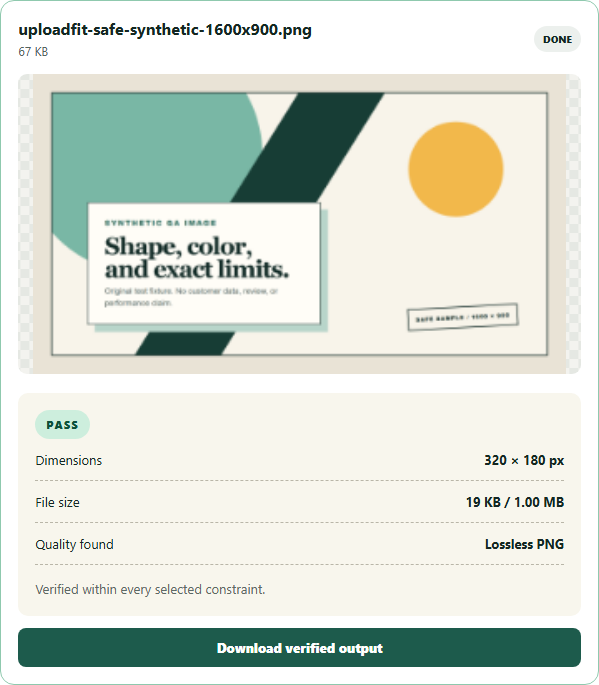
This genuine current PixelClamp QA image demonstrates the receipt format. For an uploaded display image, set one supported Google dimension and a 150 KB ceiling in the Free tool.
It does not guarantee Google approval. PixelClamp does not evaluate ad policy, destination quality, account eligibility, regional availability, animation timing, or campaign setup.
BEFORE YOU UPLOAD